
Home Dyno Sessions for Miatas: Bluetooth OBD + Virtual Dyno


Virtual Dyno turns a clean wide-open-throttle pull into power and torque by looking at how your speed changes over time and then applying your car’s weight, gearing, and a weather correction standard. If you give it good inputs, a flat road, steady WOT, correct weight and ratios, and a tidy log, it trends surprisingly close to a Dynojet-style chassis dyno for comparison work. The key is consistency: same road, same correction standard, and the same start-to-finish process every time. Use SAE correction if you want conservative, apples-to-apples numbers; STD will read a bit higher, so don’t mix them between sessions.
Which Miatas Can Log Over Bluetooth
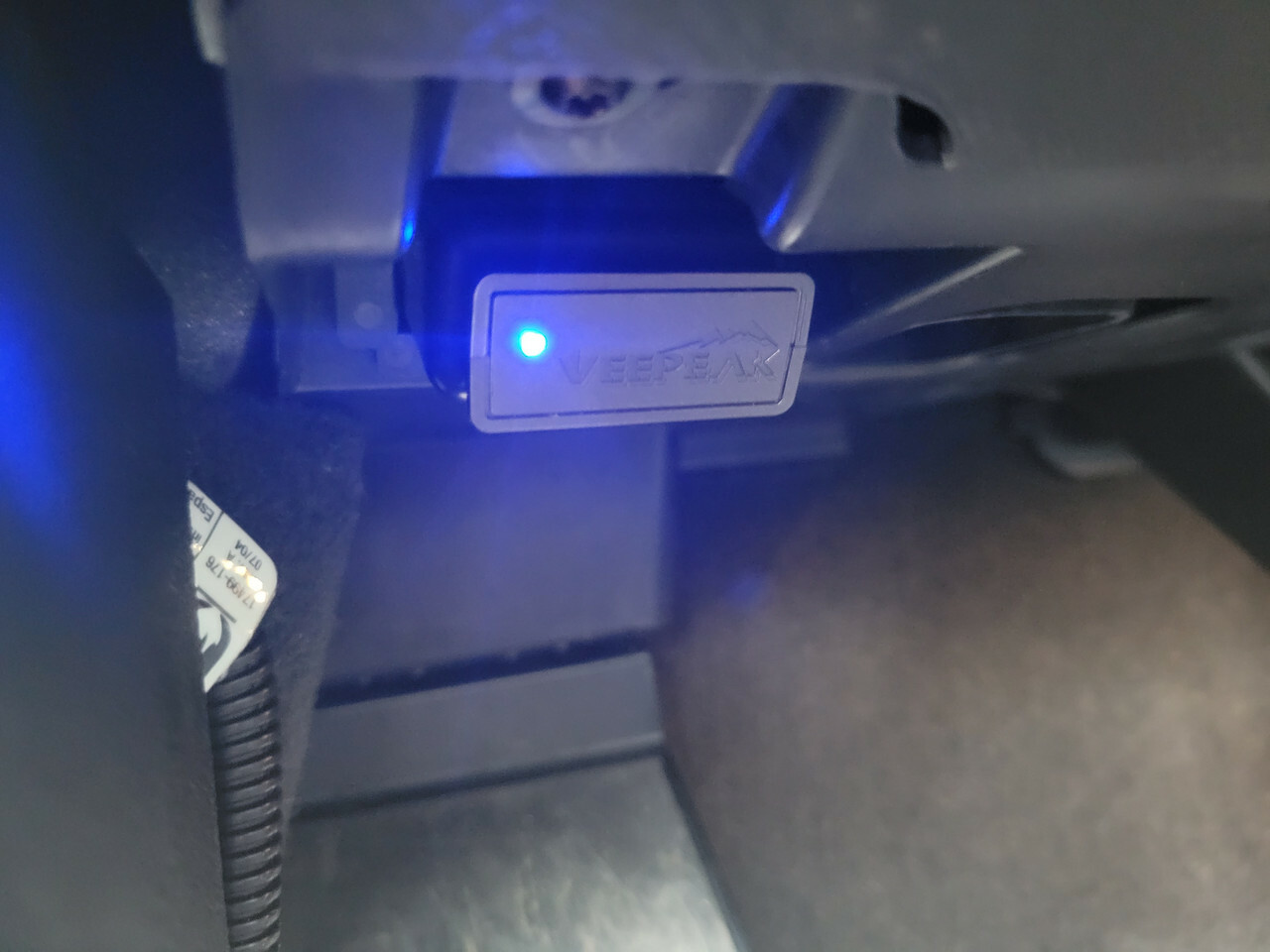
Any U.S.-market Miata with OBD-II can log through a Bluetooth adapter: that’s NA 1996–1997, all NB, NC, and ND. Early NA cars (1990–1995) are OBD-I and don’t have a standard OBD-II data stream, so you’ll need an aftermarket ECU or another way to get time, RPM, and speed into a CSV. Outside the U.S., OBD-II adoption and pinouts can vary a little by market and year, so verify before you buy.
The Minimal Kit You Need
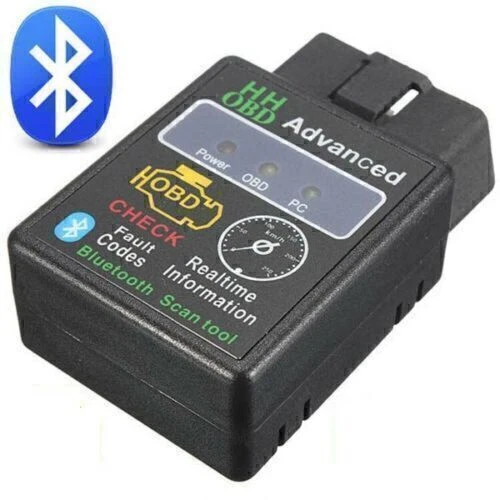
Keep it simple: a fast, low-latency Bluetooth OBD adapter, a phone app that logs time, RPM, speed, and throttle to CSV, and a Windows laptop running Virtual Dyno. Faster adapters drop fewer samples and make cleaner curves; bargain clones can add jitter that shows up as spikes. Torque-style apps make it easy to start and stop logging and email yourself the CSV. Virtual Dyno is where you load the file, enter your car details, pick SAE correction, and plot the curves.
The One-Time Car Data Virtual Dyno Needs
Enter the real, running weight of the car, driver, cargo, and the fuel that’s actually in it, because weight error shifts the whole curve up or down. Enter your actual tire size so road speed math matches reality. Then add your exact transmission ratios and final drive for your trim. Many NA/NB cars use a 4.10 diff, but some NBs came with 3.636 or 3.909. NC and ND combos are different again. If you’re unsure, sanity-check by comparing logged RPM and speed in a fixed gear; if they don’t match what your ratios predict, your tire diameter or gearing entry is off.
App Setup: Log the Right Channels at a Useful Rate
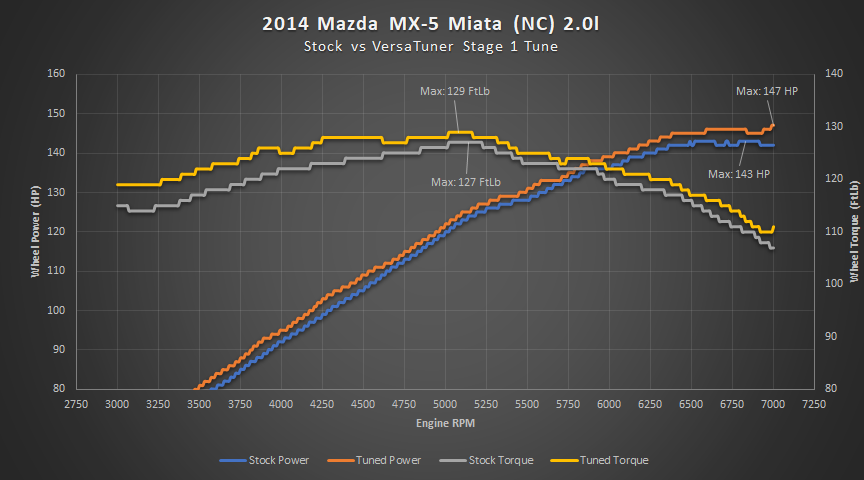
In your logging app, enable data logging and capture time, engine RPM, vehicle speed, and throttle position at minimum. Ambient or barometric pressure, intake temperature, and GPS speed are nice to have but optional. The fewer channels you log, the faster the sample rate you’ll get, important because Virtual Dyno is basically turning acceleration wiggles into horsepower, and low sample rates make jagged results.
How to Collect a Good Pull
Pick a long, flat, low-traffic stretch and always use the same direction to cancel wind and grade. Use third or fourth gear in most Miatas, tall enough to avoid wheelspin and skew from gear multiplication, short enough to keep speeds reasonable. Stabilize in the chosen gear below peak torque, go full throttle and hold it to redline or your target cutoff, then lift cleanly and stop the log. Do two or three back-to-back runs and keep your lane and turnaround pattern consistent. What ruins pulls? Traction control intervention, wheelspin, bumps and grade changes, partial throttle, shifting mid-pull, or a slow adapter that leaves gaps in your data.
Importing to Virtual Dyno Without the Headaches
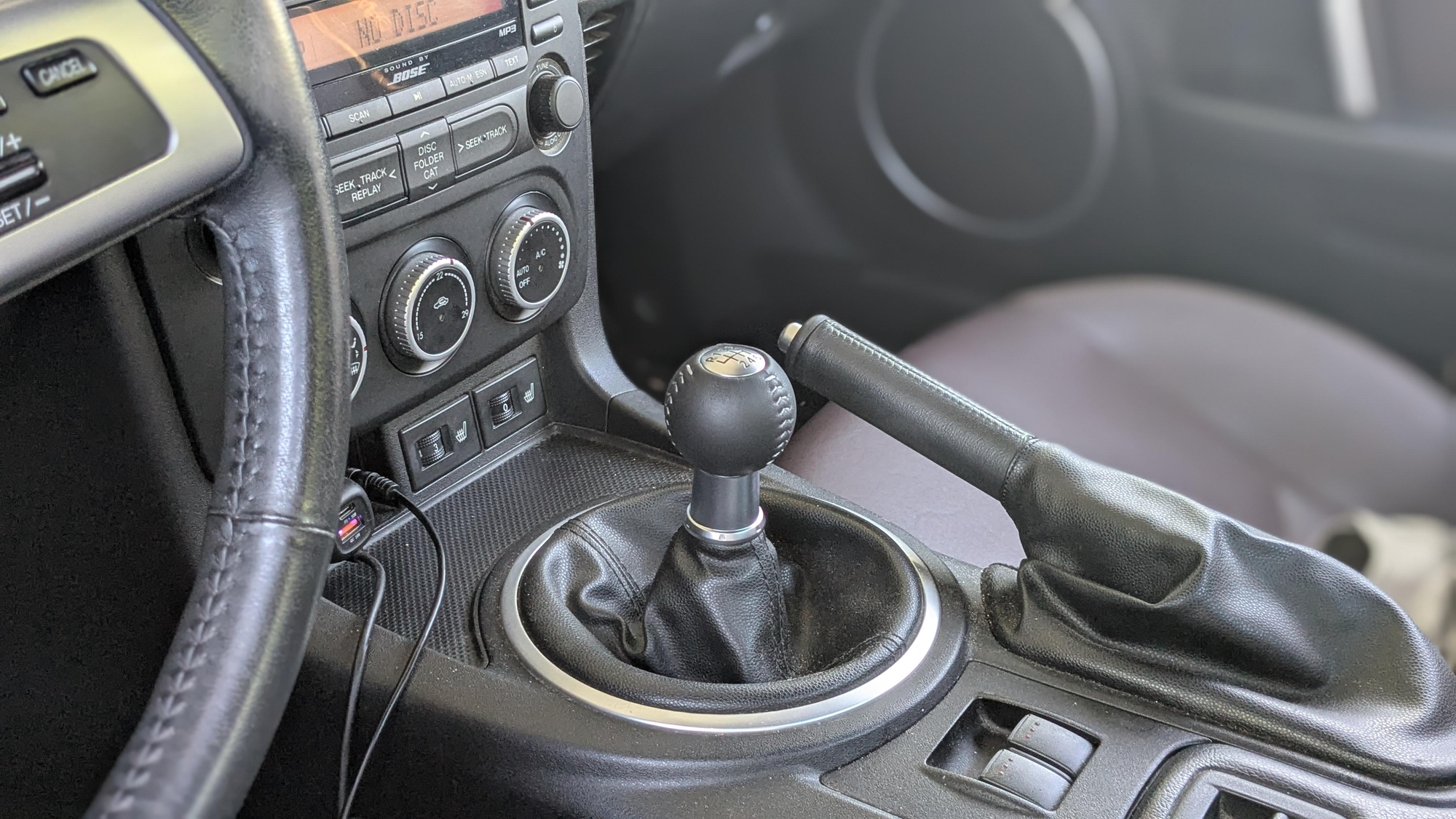
Open Virtual Dyno, set the dyno type to a common baseline like Dynojet, choose SAE correction, and create a vehicle profile with weight, tire size, gear ratios, and final drive. Load your CSV and map columns for time, RPM, speed, and throttle. If it refuses to load, make sure the first line is headers and that there aren’t blank or “preamble” rows at the top, trim those in a spreadsheet and re-export. Once it shows, trim the graph to the clean WOT sweep only. You can apply light smoothing to knock out obvious spikes, but don’t overdo it; the software needs real acceleration details to be accurate. Finally, enter the day’s weather or let the app estimate so the SAE correction is applied correctly.
Miata-Specific Notes That Save You Time
For NA 1996–1997 and all NB cars, OBD-II logging is straightforward. Just double-check your final drive because those 3.636 and 3.909 diffs move the curve. NC and ND gear strategies are very different from NA/NB; in the ND especially, third gear often gives a nice, legal-ish sweep, but confirm your ratios so the RPM-to-speed relationship lines up. And yes, adapters matter. Faster, more reliable units noticeably clean up the log and the resulting curve.
A Quick Checklist
Do a little prep: pick a flat test road and stick to it, set tire pressures, note fuel level, and include your own weight in the car’s total. Confirm your gear ratios and final drive. For logging, enable CSV with time, RPM, speed, and throttle, pick third or fourth gear, turn off stability aids if safe, and knock out two or three clean WOT sweeps. In Virtual Dyno, set Dynojet and SAE, enter weight, tires, and gearing, import the CSV, trim to the WOT segment, apply only light smoothing, and compare runs rather than chasing one hero number. When you interpret, focus on before-and-after deltas between the same start and stop RPM in similar conditions; expect SAE to read a little lower than STD on the same pull, and don’t mix the two.
Troubleshooting Weird Curves
If the graph looks spiky or sawtoothed, your log is noisy from a slow adapter, wheelspin, or a bumpy road, try a better adapter, a cleaner surface, and minimal smoothing. If the mid-range looks flat, you probably weren’t truly at full throttle or your sample rate is too low; log fewer channels and try again. If the software won’t load your file, make sure the header row is the first line and that you’ve removed any extra text before it. If peak power shows up at a weird RPM, your gear ratios, final drive, or tire diameter are entered incorrectly.
Safety, Legality, and Good Manners
Use a safe location and obey local laws. If you can’t run a full third- or fourth-gear sweep legally, shrink the test to a consistent RPM window you can repeat safely and always compare the same start and stop RPM between sessions. The whole point is consistent deltas, not chasing the biggest single number.
Treat it like a mini science project, same road, clean WOT, correct car data, SAE correction, and repeatable steps, and Bluetooth OBD plus Virtual Dyno becomes a powerful at-home tool. It won’t replace a professional dyno for certification, but for before/after changes and the shape of the curve, it’s hard to beat.


